Leaderboard
The leaderboard shows the full league standings, updated in real time as scores are entered.
Ranking
Players are ranked by total points accumulated across all weeks. Total points include match play points, Play the Card points, and makeup round points.
What is Displayed
Each row on the leaderboard shows:
- Rank — Position in the league based on total points.
- Player Name — The player's name.
- Total Points — Combined points from all sources.
- Matches Played — Number of weeks with a recorded score.
- HCP — Current handicap, shown when the league's Show Handicap setting is on. For team formats, member handicaps appear underneath the team row.
- Won ($) — Season earnings from Skins + Low Net pots. Auto-shown only when at least one entry has earnings, so non-skins/non-low-net leagues stay clean.
- Hot Streak — A fire indicator marks whoever (player, or team in team formats) earned the most points across the last two locked weeks (fun weeks excluded, unless the league counts fun weeks toward standings). Anyone tied for the most gets it, and nobody gets it if the best total is 0 or less. For Stroke format, where lower is better, it goes to the lowest average net over the rounds played in those two weeks. In Best Ball and Alternate Shot it counts team matchup points, so a league with no matchups (and every Scramble league) has no hot streak icon.
Tiebreakers
When two players have the same total, they share the same rank (1, 1, 3) and are listed in alphabetical order by name. RoundBoss does not apply tiebreaker logic — ties are displayed as ties. (Tournament Mode standings rank golfers who played more rounds first, then by score.)
Manager View
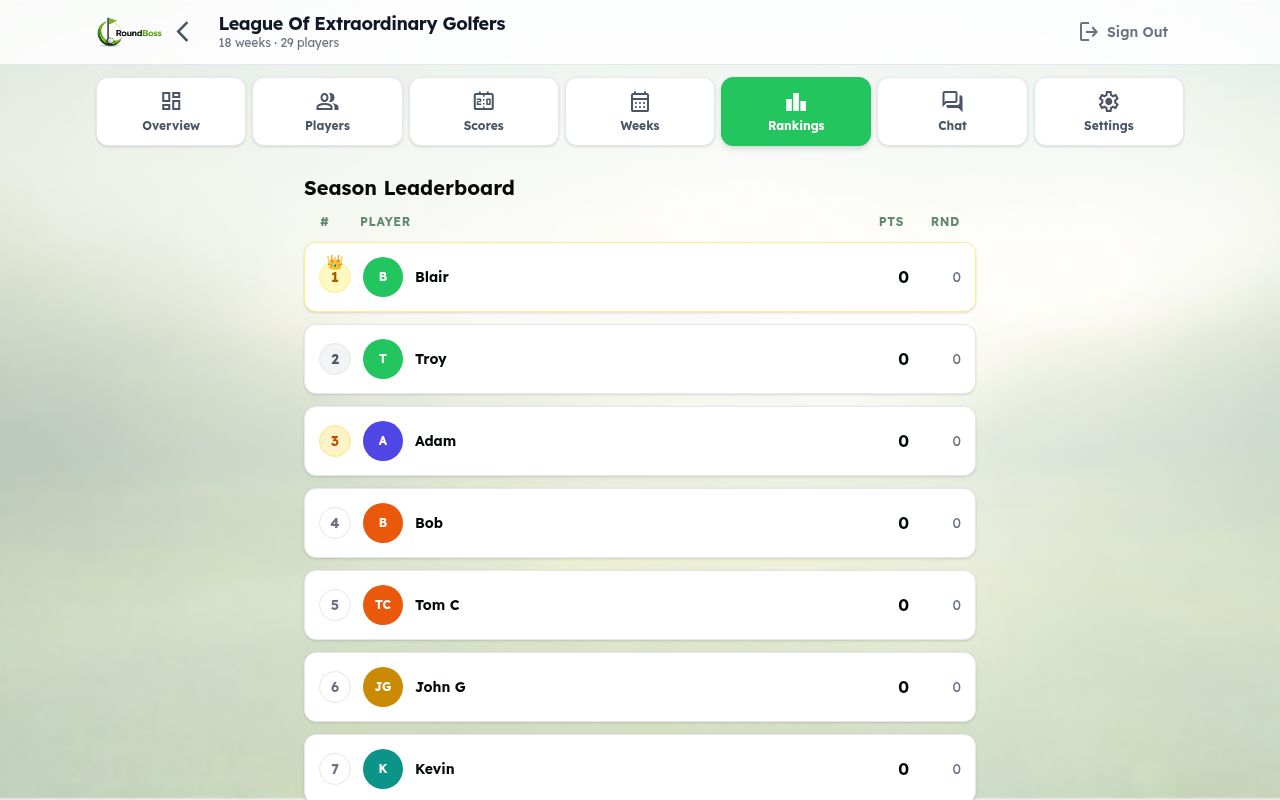
Managers see the leaderboard from the league management screen with additional context.
Team Match Play Leaderboard
In Team Match Play leagues, the leaderboard has two views:
- Teams (default) — Teams ranked by total points across all weeks, including sweep bonuses. Your team is highlighted.
- Individual — All players ranked by personal match play points, independent of team results.
Use the tab toggle at the top of the leaderboard to switch between views.
Sortable Columns
Click any column header on the leaderboard to sort by that column. Click again to toggle between ascending and descending order. This works on both the main leaderboard and weekly results tables.
Column Reference
- WK — Number of weeks played (previously labeled "Rounds" or "RND").
- AVG — Gross scoring average across all played weeks. This is the player's average gross score, not net.
- Total Points — Combined points from all sources.
- HCP — Current handicap (when Show Handicap is on). Member handicaps appear under team rows for team formats.
- Won — Season earnings from Skins + Low Net pots ($). Auto-shown only when at least one entry has earnings.
- Hot Streak — A fire indicator marks whoever (player, or team in team formats) earned the most points across the last two locked weeks (fun weeks excluded, unless the league counts fun weeks toward standings). Anyone tied for the most gets it, and nobody gets it if the best total is 0 or less. For Stroke format, where lower is better, it goes to the lowest average net over the rounds played in those two weeks. In Best Ball and Alternate Shot it counts team matchup points, so a league with no matchups (and every Scramble league) has no hot streak icon.
Player View
Players view the leaderboard from their portal. Rankings, points, and hot streak indicators are all visible at a glance.
Players view the leaderboard from their portal. Rankings, points, and hot streak indicators are all visible at a glance.
